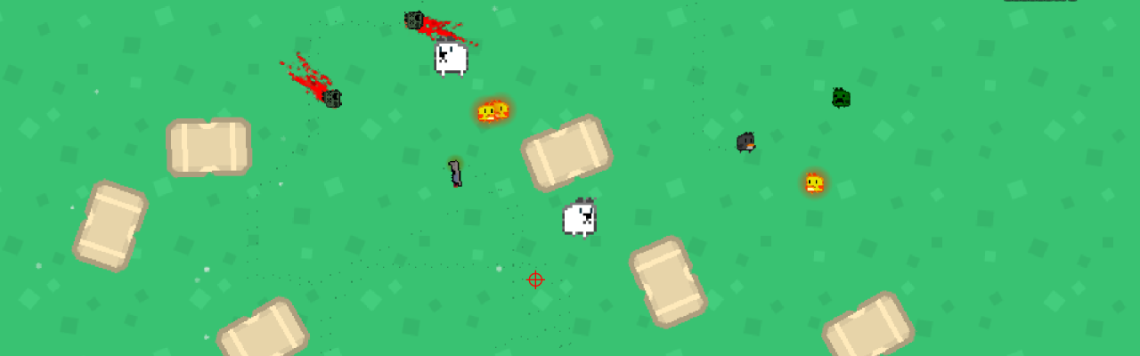
Bulletproof Penguin was my first ever game. It taught me a lot of the basics of a lot of the GameMaker engine: making a character move, object interactions, GUI, basic AI, and the most difficult thing of all – how to stop objects getting stuck on slopes. This post is focusing on the basic AI.
So what is a Finite State Machine? In short, it’s a set of predefined states that a character/system can execute and switch between. Each state is a specific behaviour, such as walking, shooting, or death. When the state recognises a transition input, it can transition to another state. For example, if an enemy has a walk state and a shoot state, it can walk towards you, but can’t shoot until it receives a signal to. While it’s in a shoot state, it can’t do the walk behaviours. If you want more depth, here’s a great AI 101 video from AI and Games:
I had four AI enemies in my game: Normal, Shield, Bomber, and Brute.

The Normal enemy has no special properties. It switches between idling and roaming around randomly. When it spots the player it runs towards you, zigzagging so it’s not easy fodder. It hurts you by touching you, then dies.

The Shield has bullets bounce off it. When it notices you, it stands still and shoots you, safe from inside its bubble. It has to be hit by lighting to take down the shield before you can shoot him.

The Bomber chases the player and explodes when it gets close. It explodes when shot, so it’s pretty damage if you’re remotely close

The Brute is a big fucker. A big hurtbox, lots of health, slow walk speed, and punches you into oblivion if you get close, making you drop your weapons.
I knew at the start of the project that I wanted to create enemies that had some interesting behaviours (at least, for a first project). I planned the enemies on paper before I gave them any behaviour more complicated than “run towards player” and “get stuck on slopes”.
I started by defining the states: idle for when there’s no input trigger, alert for when the player enters the enemy’s vision, attack for when the enemy is actively attacking the player, and other for enemy’s unique quirks.
The processes inside each state aren’t important, just that the AI knows what the triggers are to move from state to state, and then only executes the code inside that state. Let’s follow the thoughts process of the Normal enemy, which doesn’t have an other state (it’s normal, duh!).


If we make this using pseudo code, it would look something like this ( //These slashes mean a non-code comment).
//0.spawned in IdleState
if NormalEnemy lineofsight within 150px to Player {enter AlertState}
elseif Player is 90px away {enter AttackState}
else {enter IdleState}

//1.idle state - walk around
PickRandomDirection
MoveAtSpeed(50)

//2.alert state - run/dodge at player
Every 0.2s randomly choose {RunToPlayer,Dodge}
    RunToPlayer:
        DirectionToPlayer
        WalkAtSpeed(50)
    Dodge:
       DirectionToPlayer±90°
       MoveAtSpeed(100)

//3.Attack state
PickRandomDirection
MoveAtSpeed(75)
ReduceHealth(-1)
Hopefully, this illustrates at the most rudimentary level how finite state machines work for basic AI. It’s useful to tweak a setting in one state without affecting behaviour in other states, and for understanding your AI decision trees in a way that’s so easy to break down, you can do it on paper before you’ve written any code.
It’s worth noting the Player also has some FSM attributes: normal, dash, punched, punched2. Normal means the player has full control. Dash is, well, a dash, but it locks the player out of control during the dash, so it’s a full-commit move. Punched and Punched2 happen one after the other when hit by a Brute enemy. Punched takes away player control and sends you flying in the same direction as the Brute is facing, then triggers punched2, which handles deceleration until the player finally comes to a stop, then gives the player control back by setting the state back to normal. There’s probably a way more elegant solution, but when a man has a hammer finite state machine, everything looks like a nail excuse to insert states.